All your assets.One clear view.
See your whole portfolio on a bigger screen.
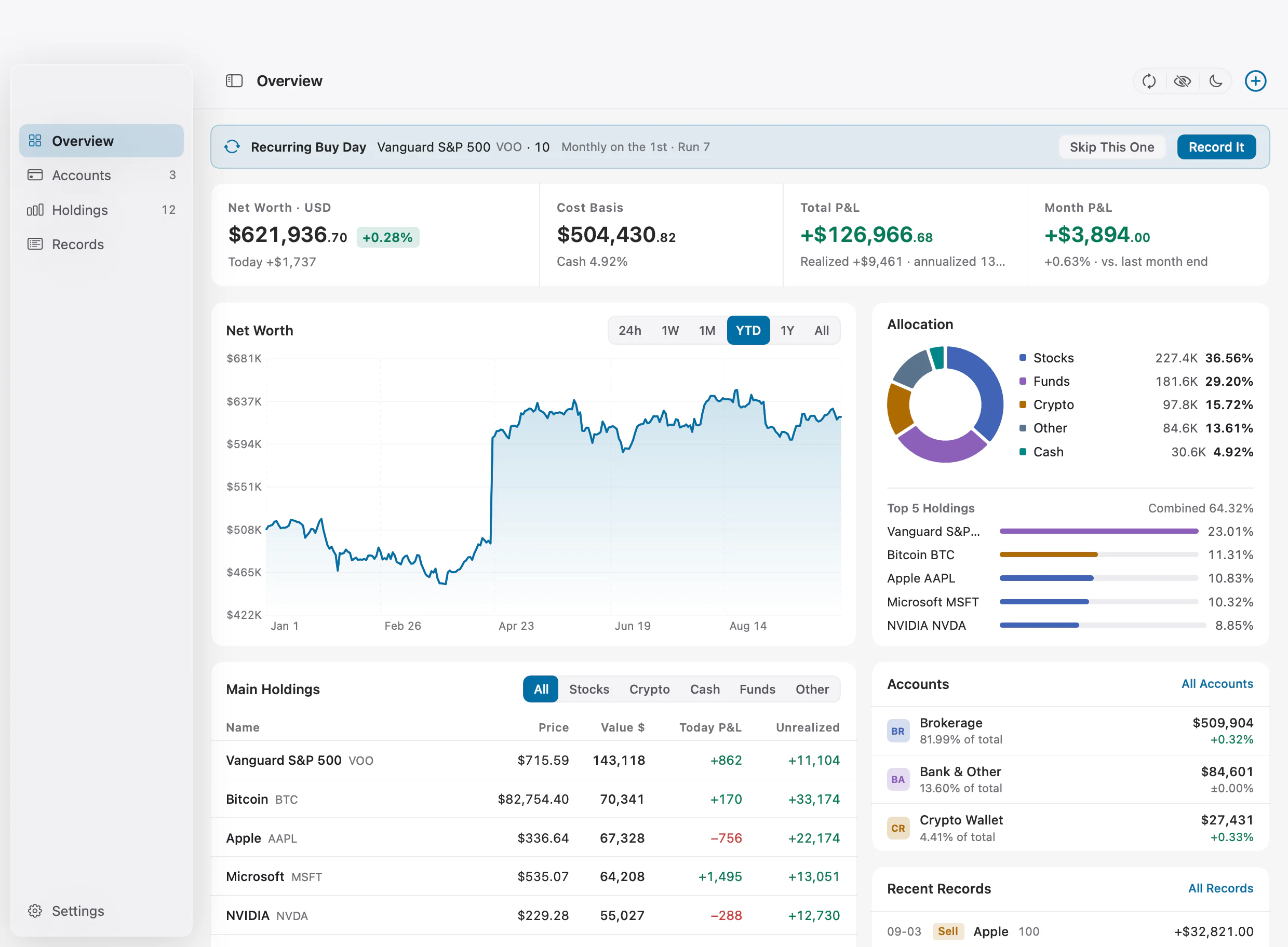
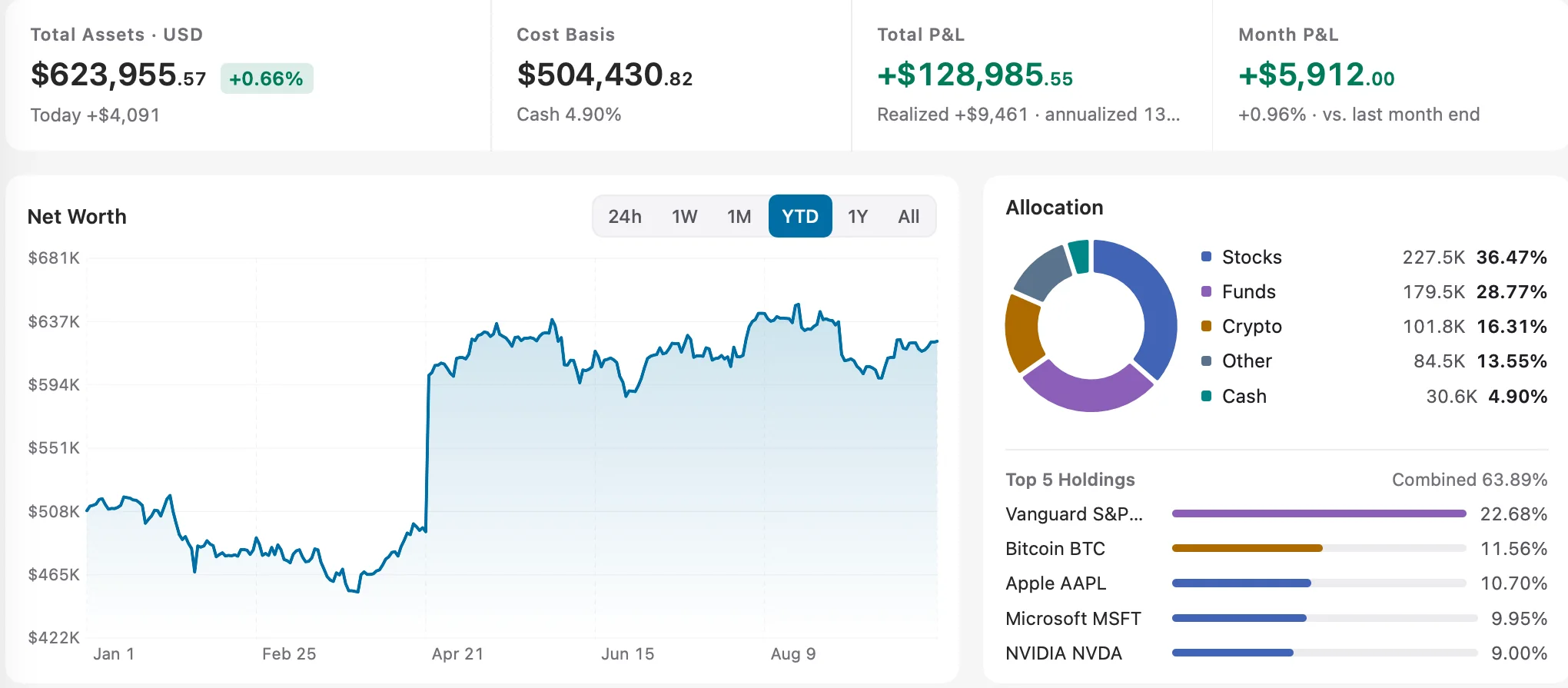
Your whole portfolio at a glance.
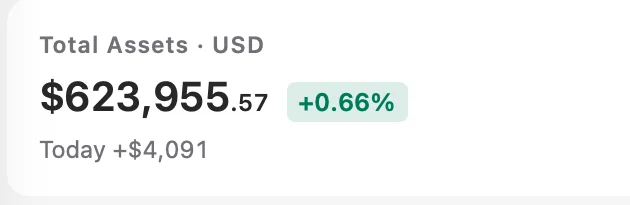
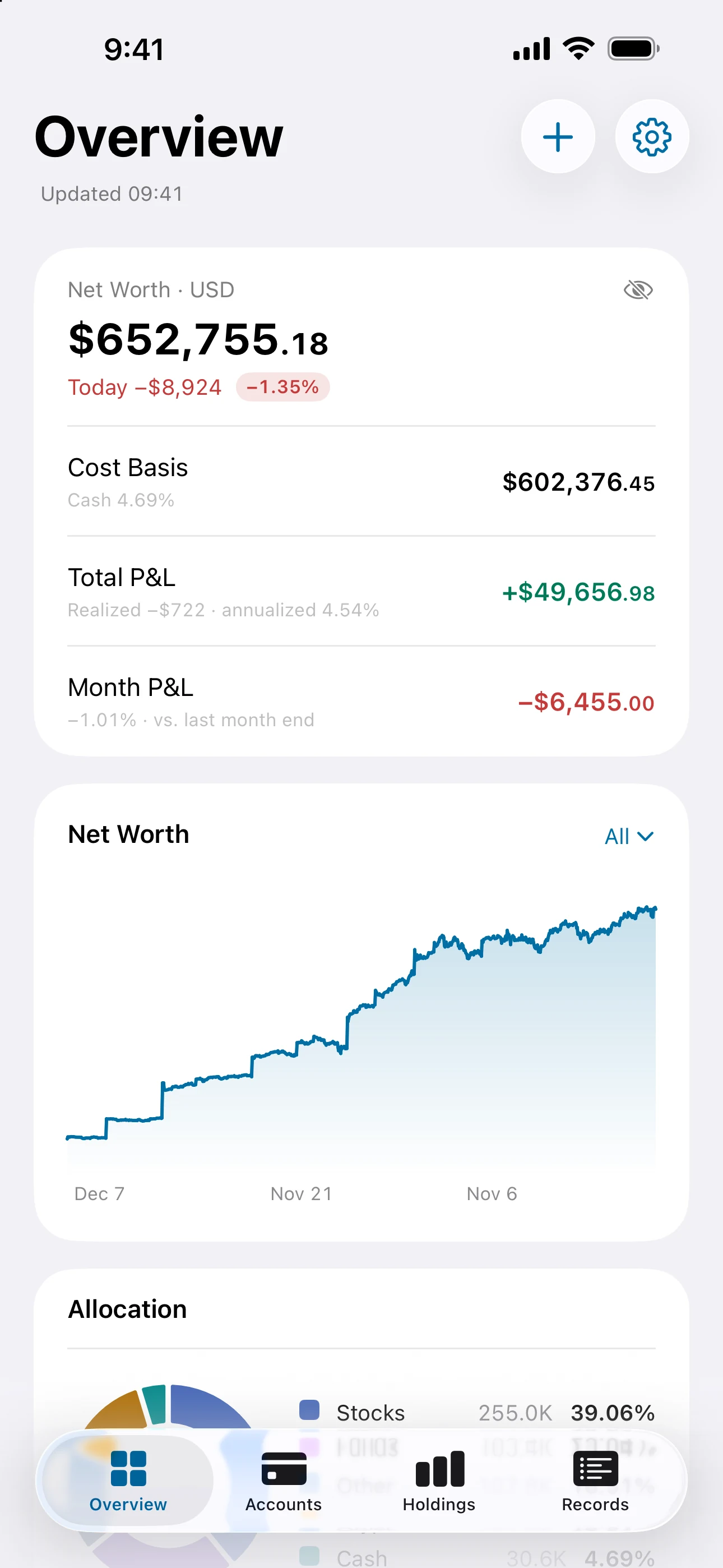
Start with portfolio value and cost at the top. The chart below shows how your assets have changed over time.
- 01Key portfolio figures together
- 02Switch periods to see the changes
Separate accounts. Import in bulk.
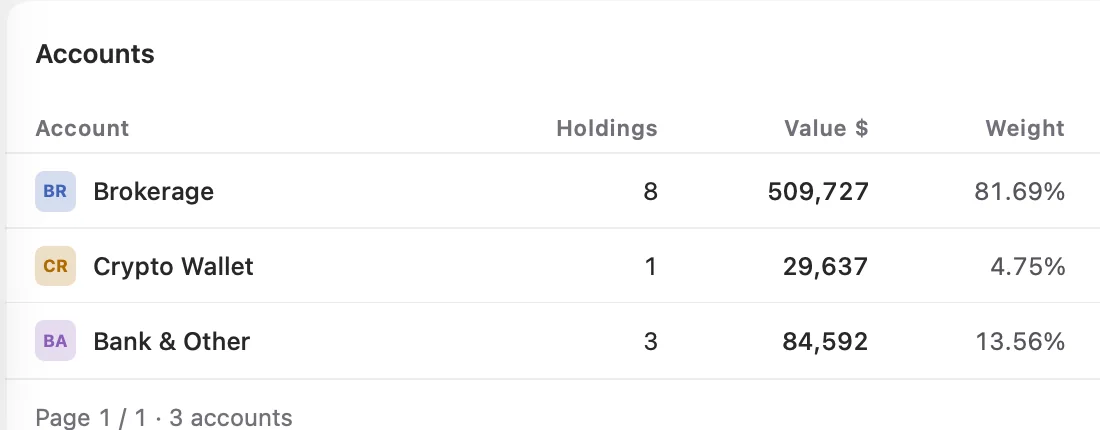
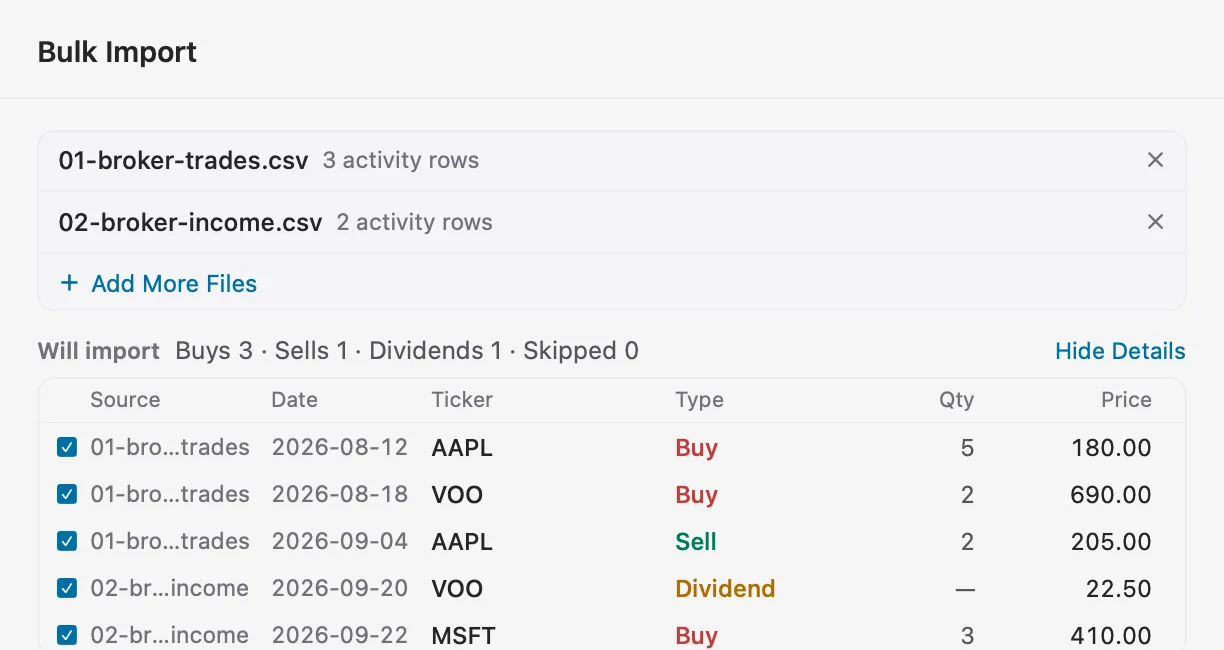
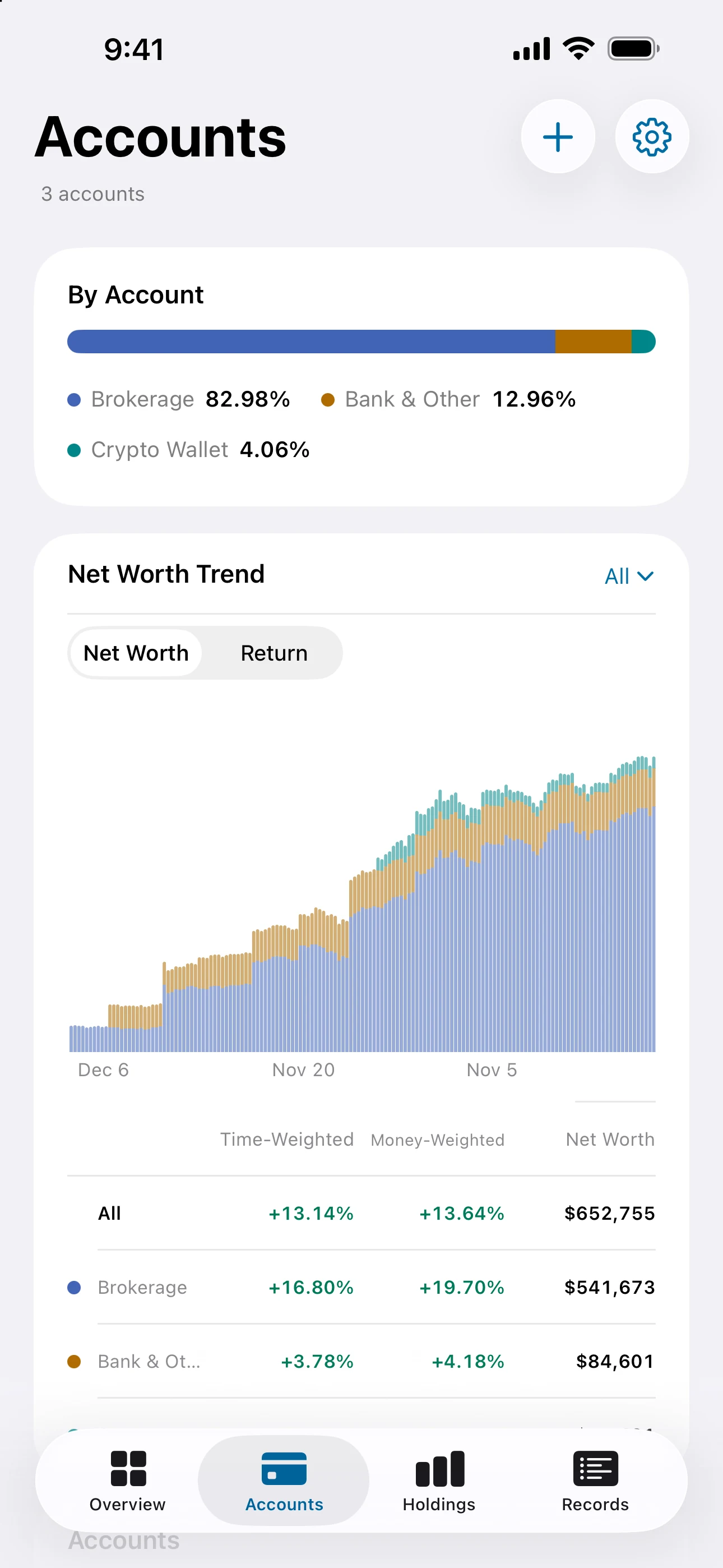
Give each brokerage, bank and crypto wallet its own place. Have a transaction CSV, PDF statement or holdings screenshot? Drop it into Moment, check the preview, then import it into your chosen account.
- 01Value and share for each account
- 02Bulk import from CSV, PDF or images
See where gains come from.
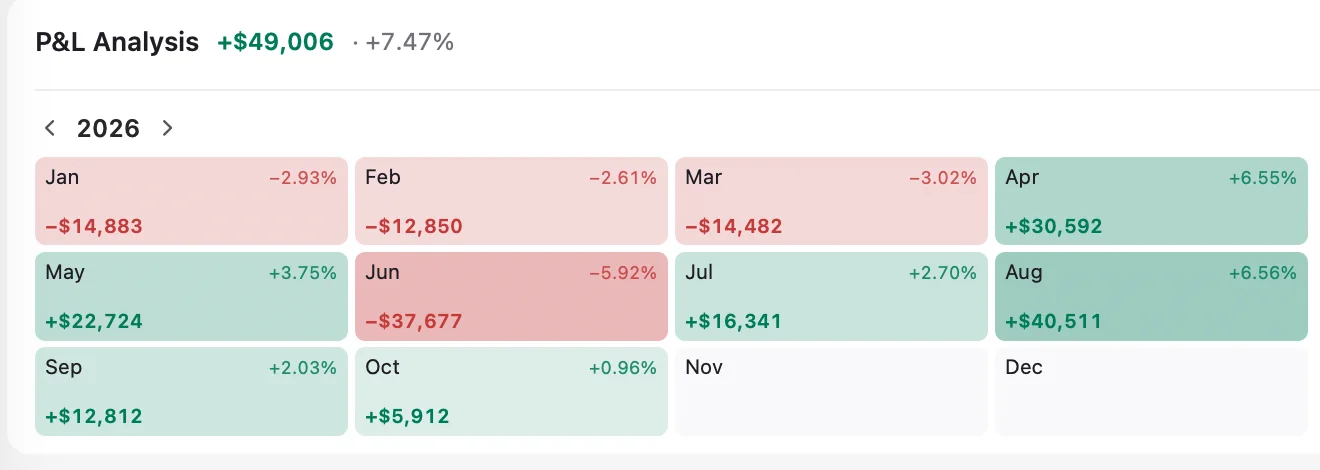
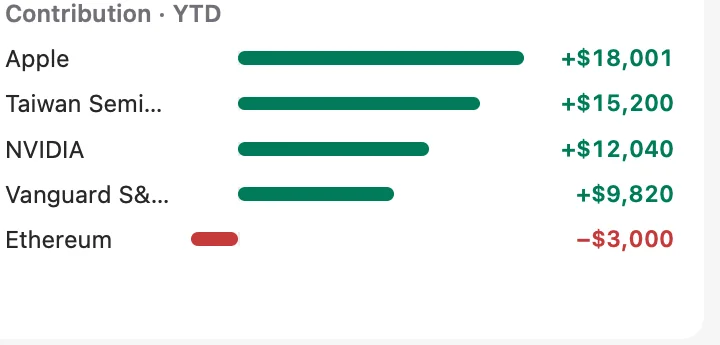
The P&L calendar lays out each month's change. Contribution bars show which holdings helped your returns and which weighed them down.
- 01Review gains and losses by month
- 02Find your biggest contributors
Every transaction, easy to find.
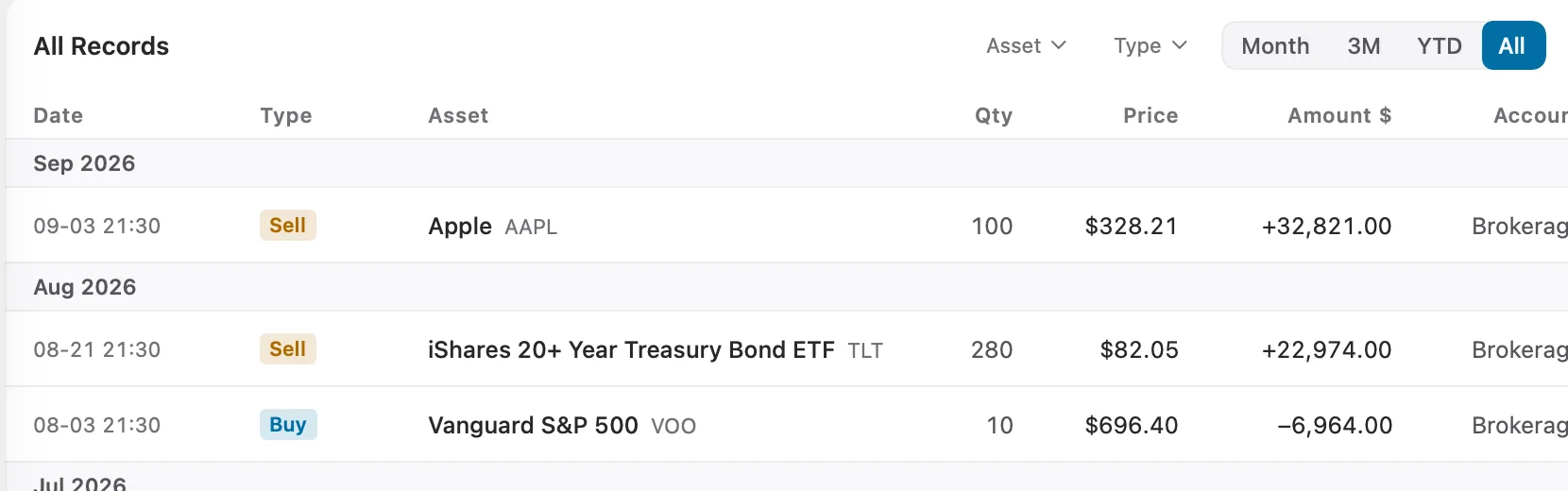
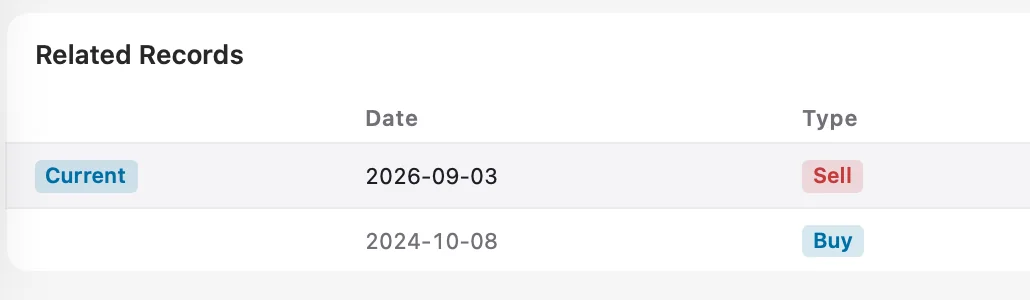
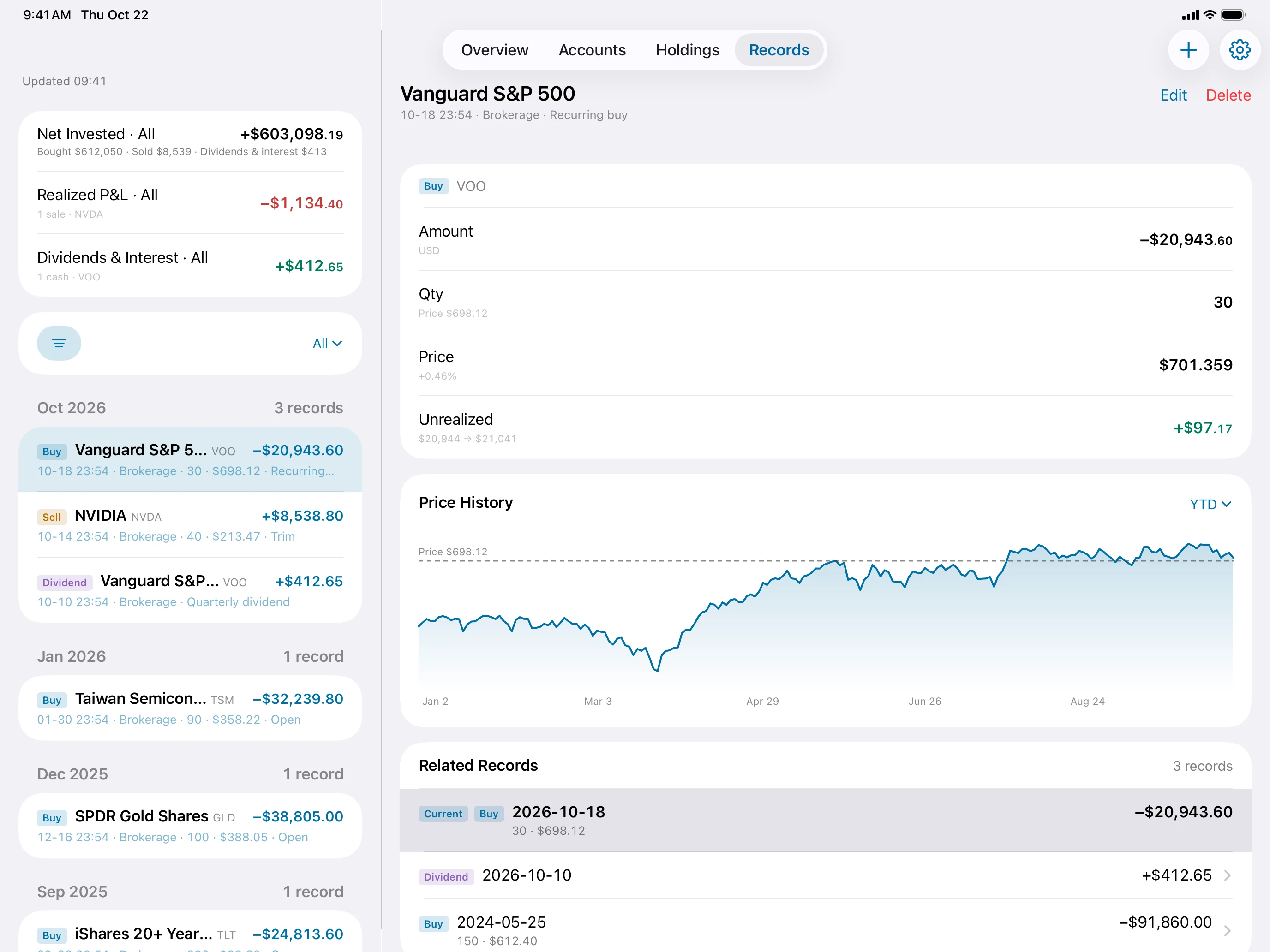
Buys, sells and dividends stay in date order. Open a record to see related transactions for the same asset.
- 01Browse your transaction history
- 02Follow related records for each asset
Your portfolio, always within reach.
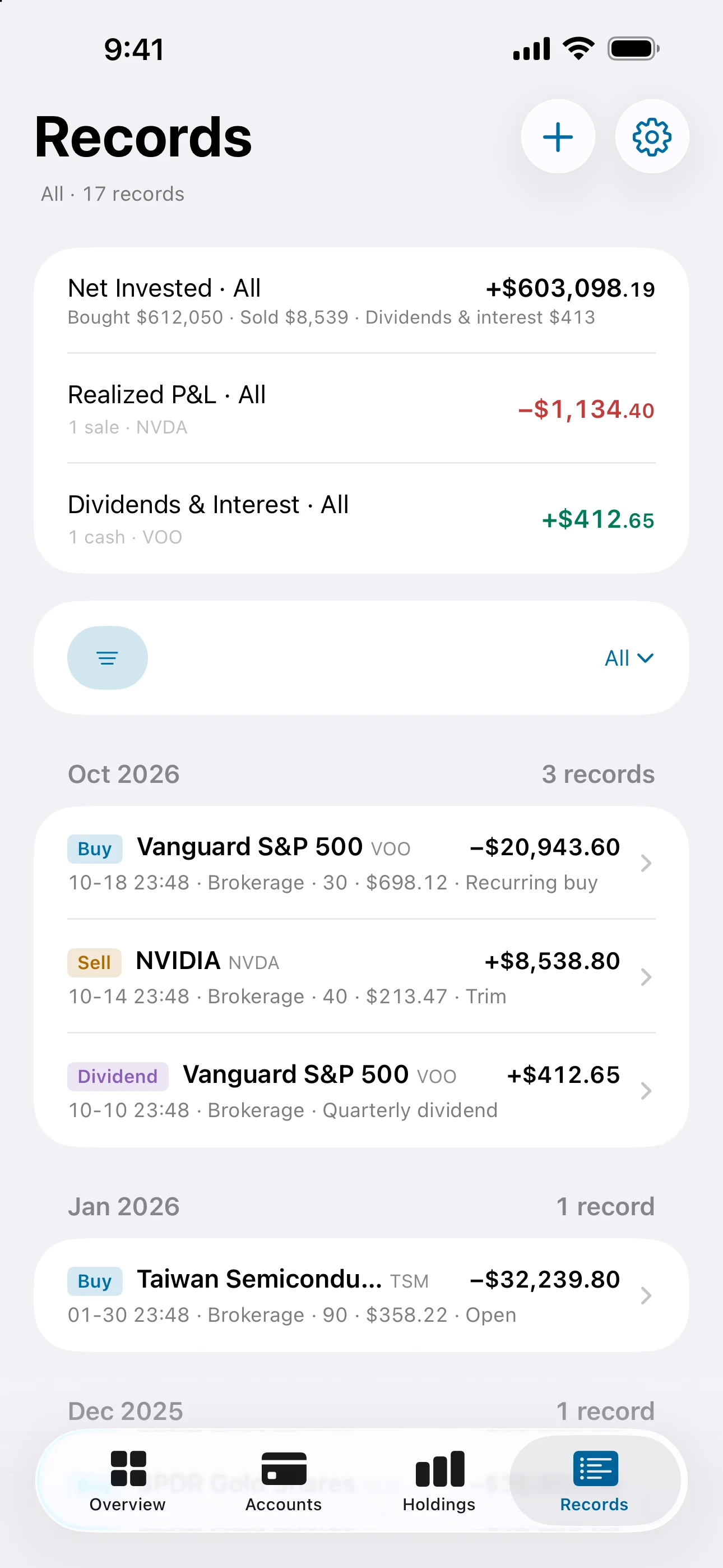
Just made a trade? Make a note of it.
A buy, a sale, a dividend. Keep a record on your iPhone, ready whenever you want to look back.
Different accounts. One place to look.
Bring in a CSV, PDF or holdings screenshot, review the preview, then import in bulk. See where your money is and how it adds up.
See how to importEvery rise and fall. A clearer picture.
Look back with the P&L calendar. Follow the contribution list to see which holdings made the difference.
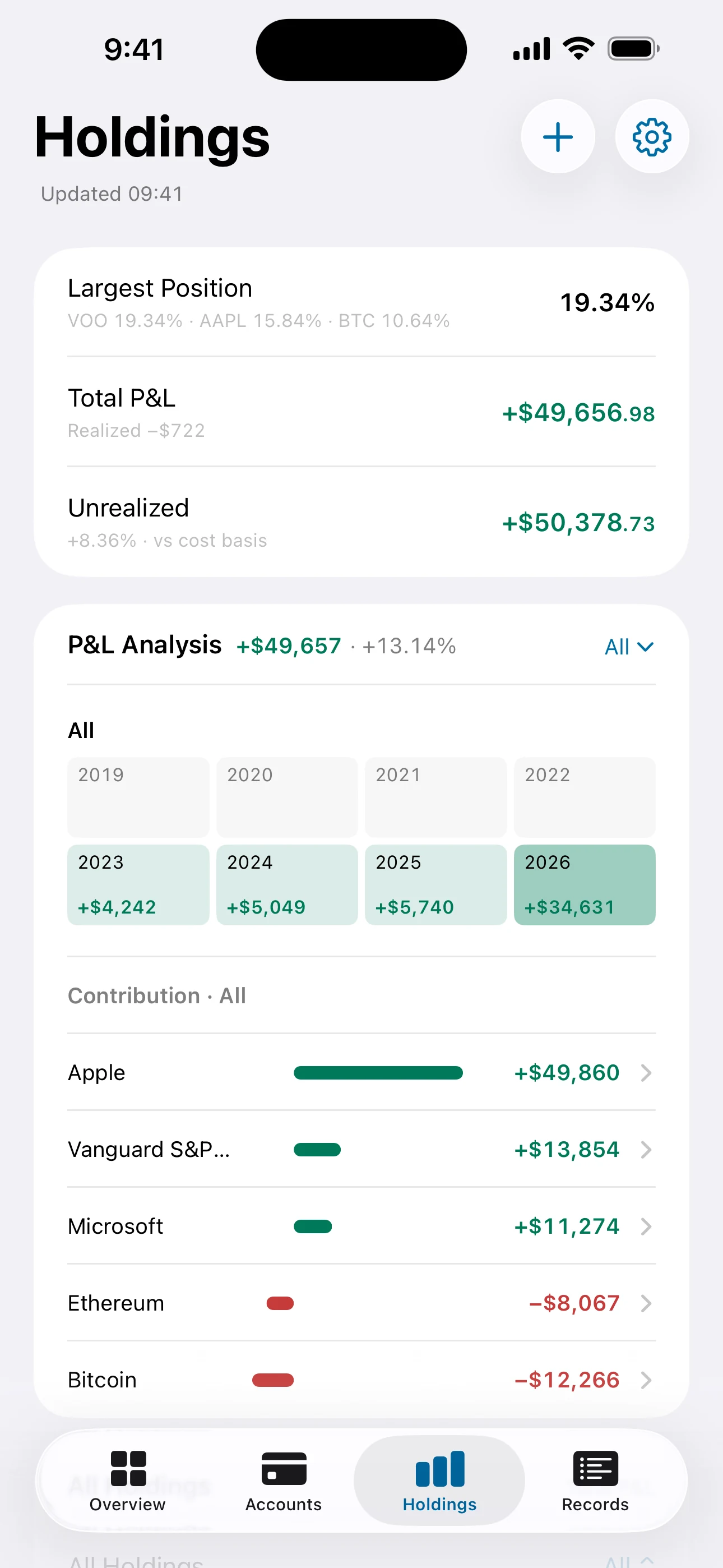
More room to see the whole picture.
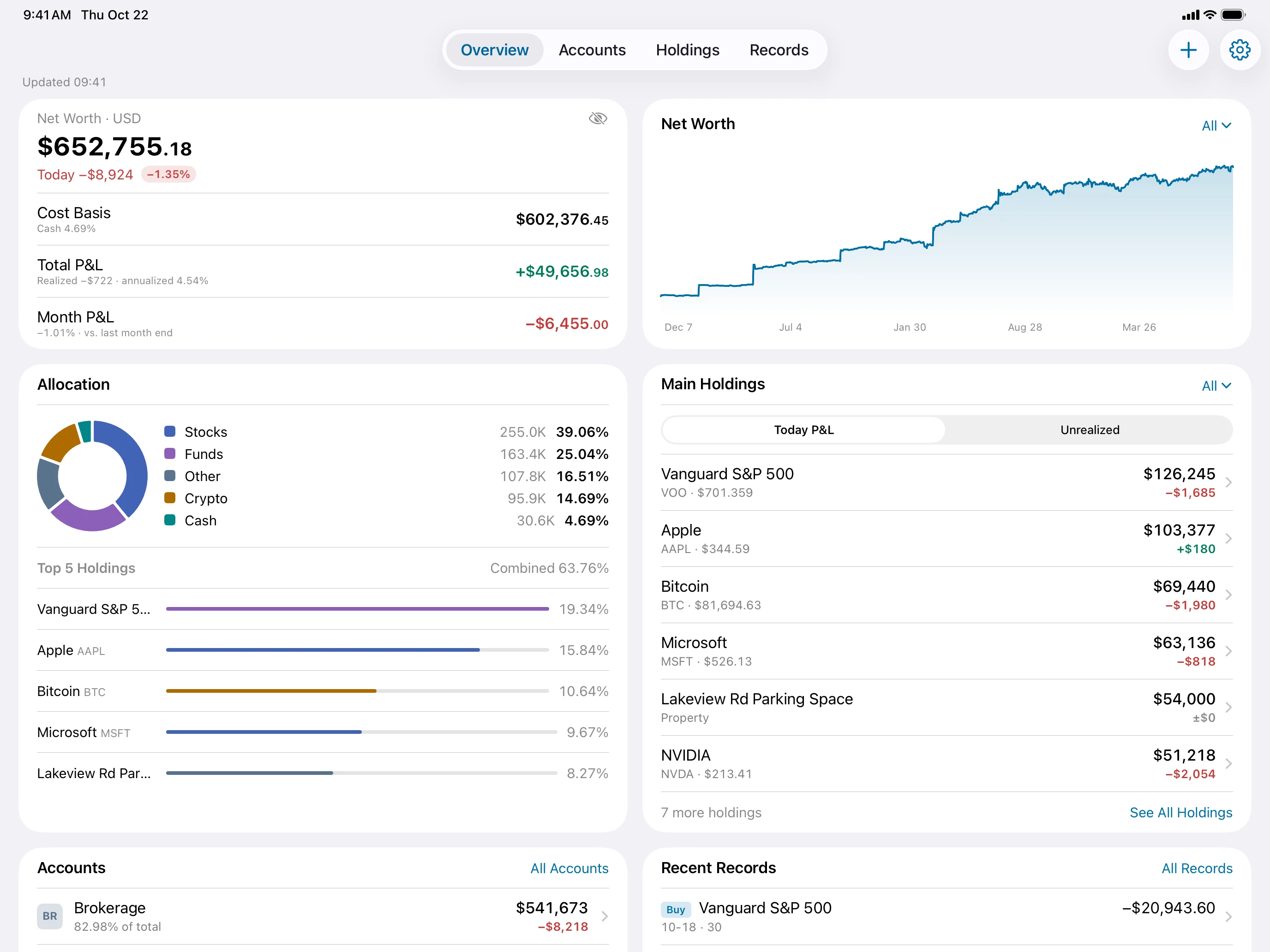
From your portfolio’s returns to each holding.
Gains and contributions on the left. Asset details on the right. See which holdings drove your returns, then review their price and cost. A bigger screen gives the details room to breathe.
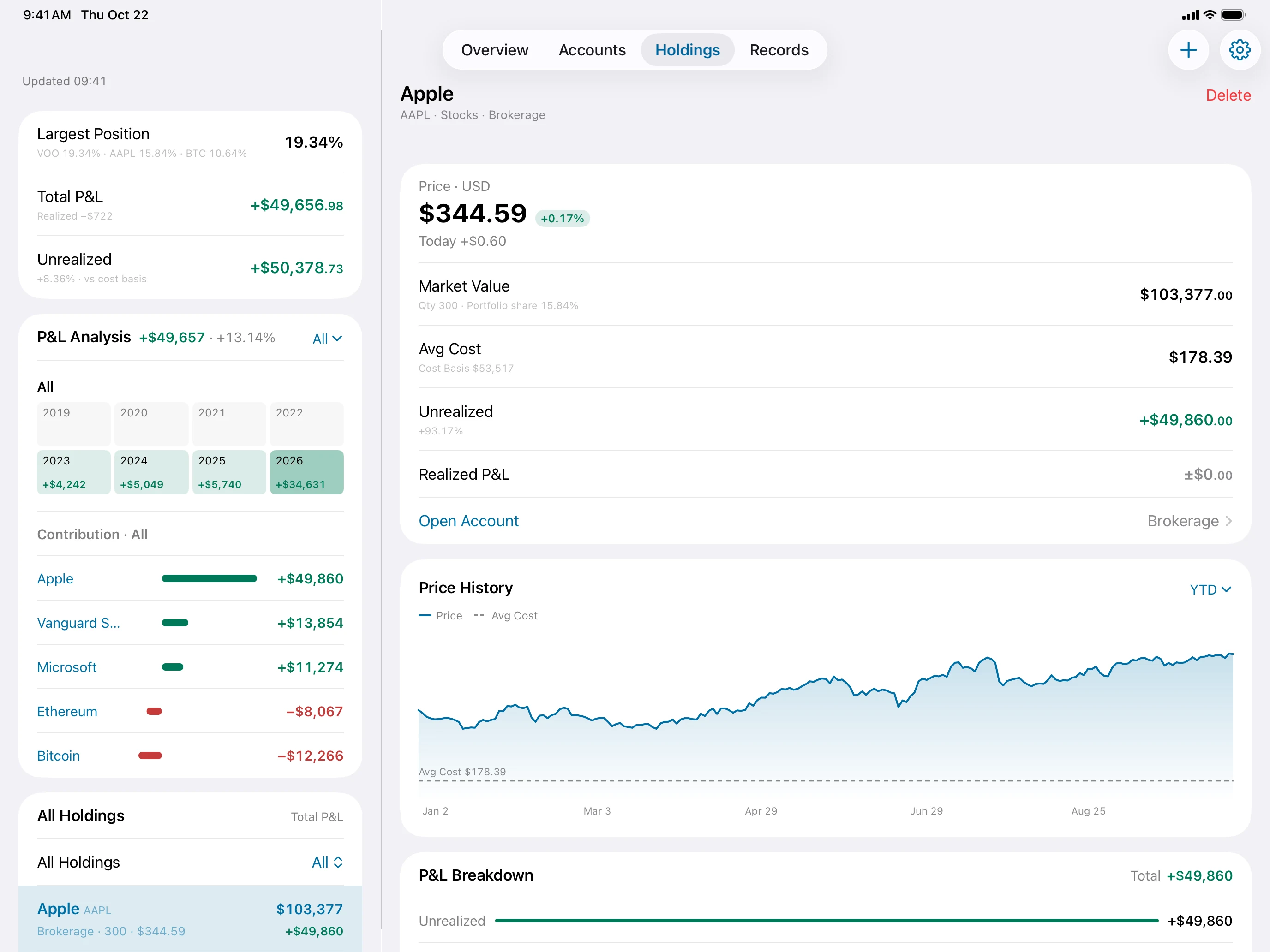
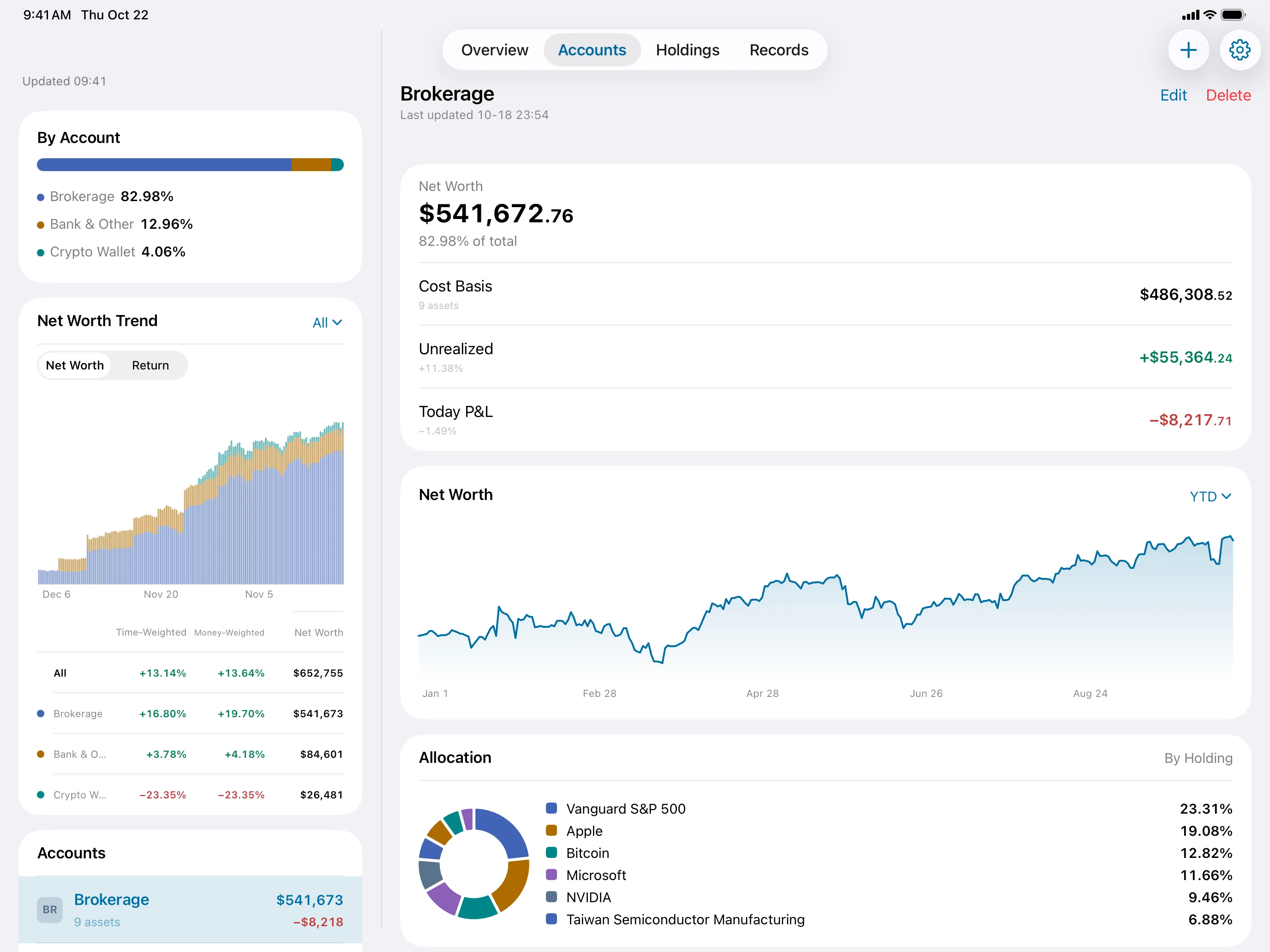
Start with the records you already have.
Choose a CSV, PDF or holdings screenshot from Photos. Review the preview, then import in bulk. See each account’s value and share of your portfolio.
See how to importKeep the story behind every trade.
Open a record to see its amount, fees and related transactions. Buys, sells and dividends are all there to look back on.
Your records stay on your device
Accounts, holdings and transactions are stored on your own device.
Turn on iCloud when you need to sync PRO
Choose to sync through your iCloud to pick up where you left off on Mac, iPhone and iPad.
Updating quotes and exchange rates requires an internet connection.
Start free. Upgrade when you need to.
Begin with the free version. When you need more accounts, your full history and live quotes, unlock Pro with a one-time purchase.
| Feature | Free | Moment Pro |
|---|---|---|
| Accounts | Up to 3 | Unlimited |
| Holdings | Up to 10 | Unlimited |
| History | Last 3 years | Unlimited |
| Bar granularity | Hourly | Minute |
| Quote refresh | 1 hour | Realtime |
| Devices | — | Unlimited |
| Data export | — | |
| iCloud sync | — |
Can I download Moment now?
Yes. Moment is available on Mac, iPhone and iPad. You’re currently viewing the Mac version. Open the App Store
Where are my records stored?
Your records are stored on your own device. Pro users can choose to enable iCloud sync across devices. Updating quotes and exchange rates requires an internet connection.
What’s the difference between Free and Pro?
Free includes up to 3 accounts, 10 holdings and the last 3 years of records, with hourly bars and hourly quote updates. A one-time Pro purchase unlocks unlimited accounts and holdings, full history, minute bars, live quotes, data export and optional iCloud sync. Compare the plans
Which markets and assets does Moment support?
You can look up US stocks, ETFs, mutual funds and options; mainland China stocks, ETFs, LOFs, convertible bonds and off-exchange funds (excluding money market funds); Hong Kong stocks, ETFs and REITs; and major cryptocurrencies including Bitcoin and Ethereum. You can also manually record bonds, property, cash, liabilities and other assets. Check the in-app search for quote availability on a particular asset.
How do I import brokerage records?
Download your transaction history from your broker, then preview and review it in Moment. CSV files, PDF statements and holdings screenshots are supported. On Mac, drag your files into the import window. Read the import guide
How are gains and returns calculated?
Cost basis, realized gains and period returns use different calculations. The guide explains the formulas with examples. Understand the numbers
Start with one record.
Bring your investments into focus on Mac.
App Store